So verbindest du OCPP-kompatible EV-Ladestationen mit der Coppen Clara App
Was ist OCPP?
OCPP (Open Charge Point Protocol) ist ein offener Standard für die Kommunikation zwischen EV-Ladestationen und zentralen Managementsystemen. Viele Hersteller von EV-Ladestationen unterstützen OCPP, was es ermöglicht, verschiedene Ladestationsmarken über eine einzige Integration zu verbinden.
Voraussetzungen:
- Stelle sicher, dass deine EV-Ladestation OCPP 1.6 unterstützt.
- Deine Ladestation muss für die Verbindung mit einem OCPP-Backend konfiguriert sein.
- Halte die Verbindungsdaten deiner Ladestation bereit (Charge Point ID).
Verbindung deiner OCPP-Ladestation mit Coppen Clara
Um deine EV-Ladestation zu verbinden, gib die folgende URL in den OCPP-Einstellungen der App deines Ladestationsherstellers ein. Die OCPP-URL findest du in Coppen Clara, wenn du eine OCPP-Ladestation hinzufügst.
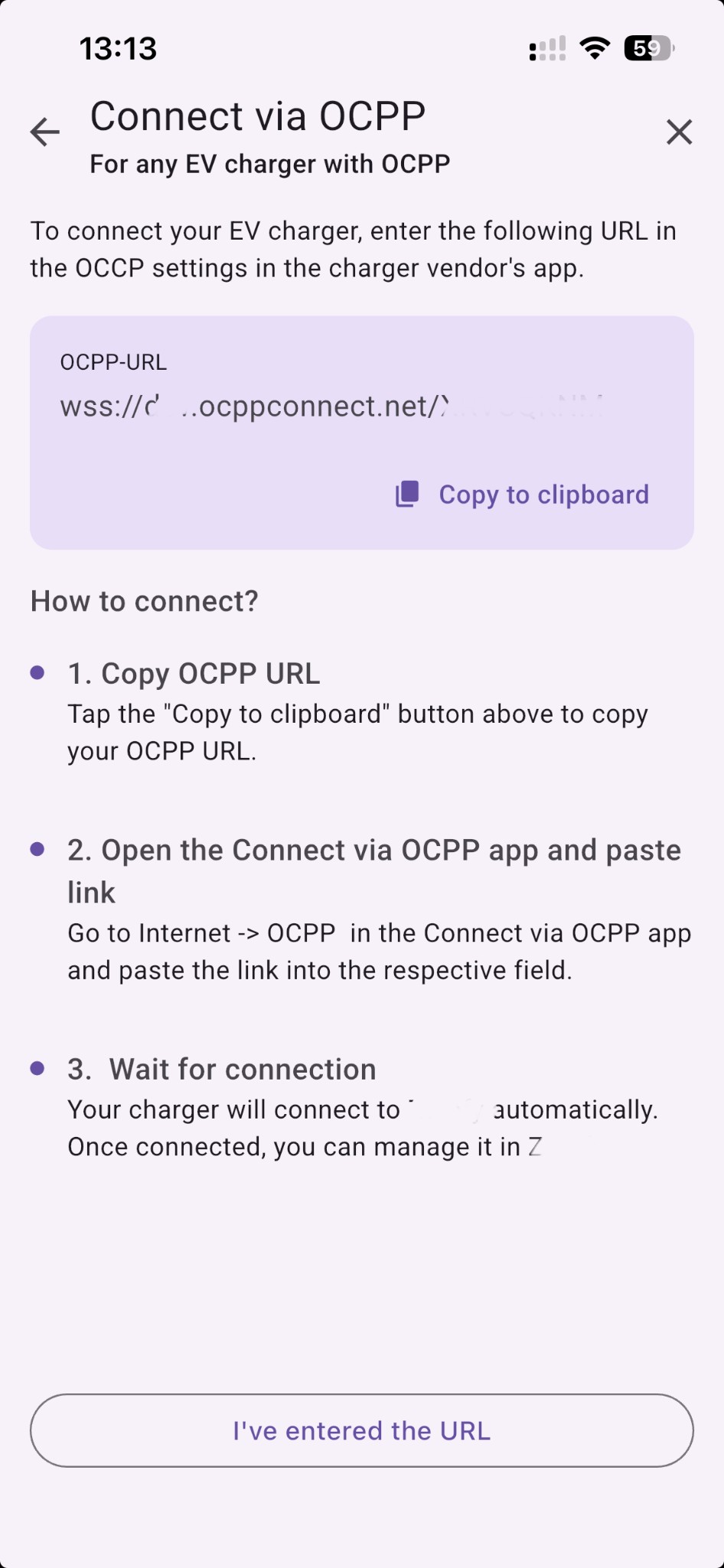
Wie verbinde ich meine Ladestation?
-
OCPP-URL kopieren – Tippe in Coppen Clara auf „In Zwischenablage kopieren“, um deine OCPP-URL zu kopieren.
-
Connect via OCPP App öffnen und Link einfügen – Gehe in der Connect via OCPP App (oder der Konfigurations-App deiner Ladestation) zu Internet → OCPP und füge den Link in das entsprechende Feld ein.
-
Auf Verbindung warten – Deine Ladestation verbindet sich automatisch mit Coppen Clara. Sobald die Verbindung steht, kannst du sie in Coppen Clara verwalten.
Funktionen und Hinweise
Mit der OCPP-Integration kannst du:
- Das Laden deines Elektrofahrzeugs aus der Ferne steuern.
- Den Energieverbrauch und die Ladehistorie überwachen.
- Ladevorgänge aus der Ferne starten und stoppen.
- Ladeleistungsstufen einstellen.
- Von intelligenten Ladefunktionen im Coppen Clara-Ökosystem profitieren, zum Beispiel Laden bei überschüssiger Solarenergie mit Autopilot (Solar-Modus).
Unterstützte Ladestationsmarken
Viele Ladestationsmarken unterstützen OCPP-Konnektivität. Wenn deine Ladestationsmarke nicht direkt in Coppen Clara integriert ist, kannst du sie möglicherweise über OCPP verbinden.
Eine Liste OCPP-zertifizierter Ladestationen findest du bei den Open Charge Alliance Certified Products.